
Purpose of this guide
To ensure messaging is consistently delivered across the Confirmation of Payee service each Participant must, before implementation:
- Provide GetVerified with a representative sample of their proposed customer messaging for our approval, or
- Confirm to GetVerified in writing that the customer messaging is in accordance with the requirements set out in this Guide.
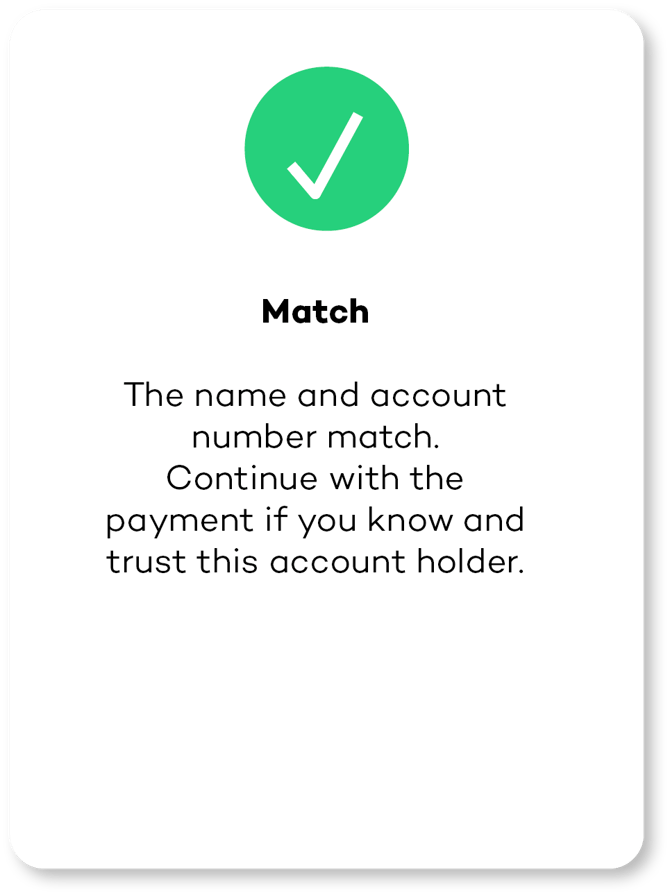
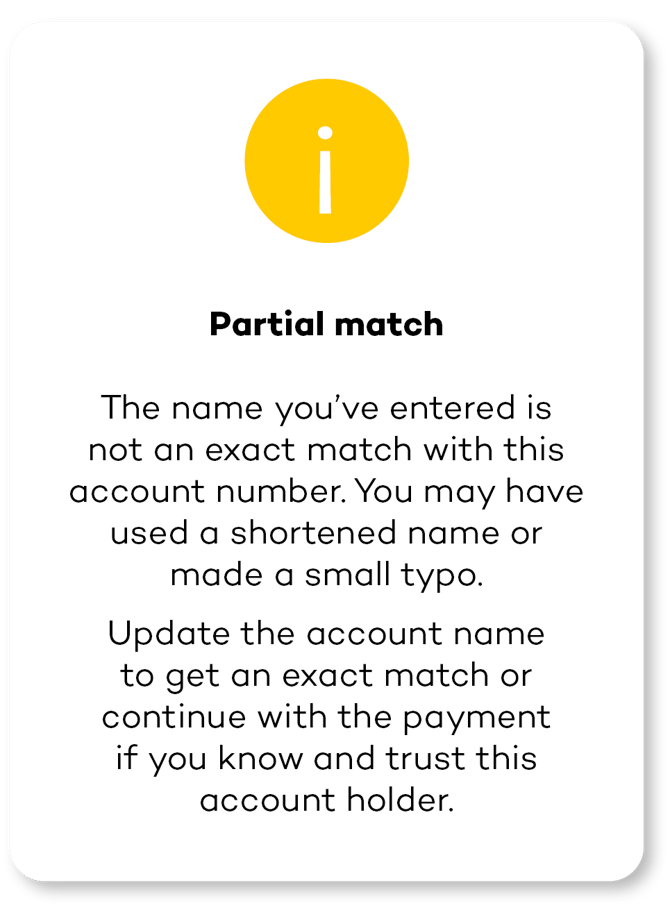
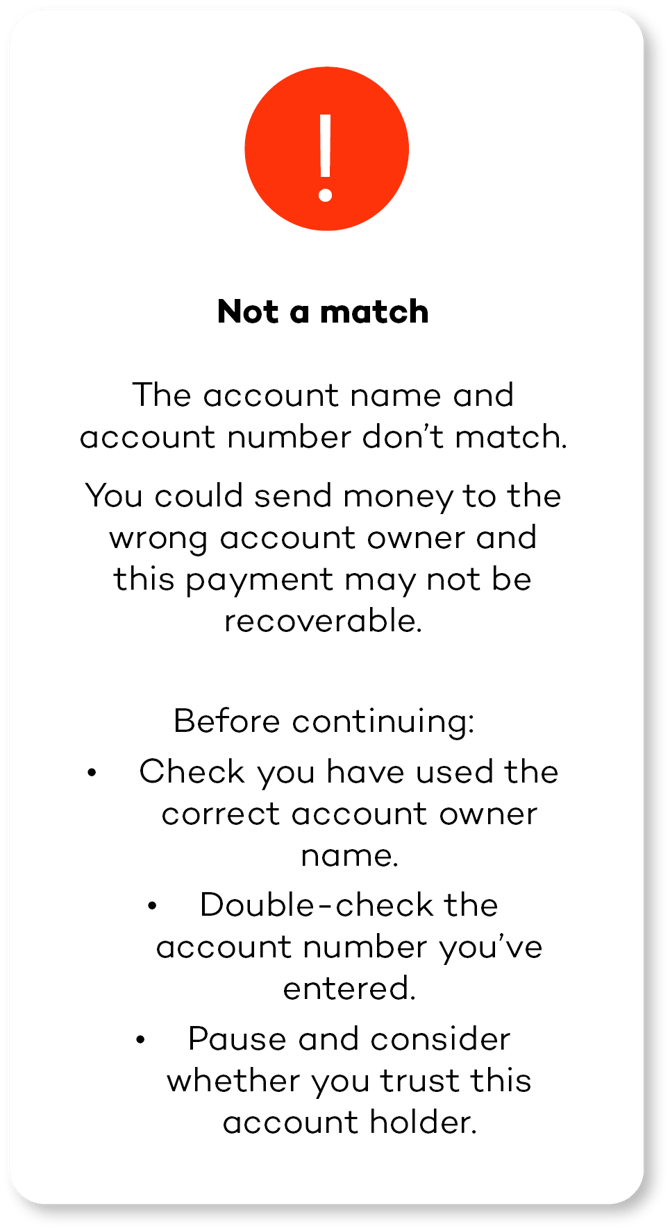
- Each notification must use consistent iconology including colour as specified in the guide i.e. green tick for Match, red exclamation mark for Not a match etc.
- Each notification design must use the bold headings as specified in this guide.
- Each notification unbolded messaging can be edited to align with their own brand voice and UX journey as well as convey the messaging statements in accordance with the advice given against each outcome in this guide.
Reason code and description
|
Reason |
Code |
|||
|
Code |
Description |
Matched |
Long Description |
Bank Result |
|
MATCH |
Full Match |
TRUE |
The CoP Responder has performed the matching and confirms it’s a match |
Match |
|
ANNM |
Account Name Does Not Match |
FALSE |
The CoP Responder has performed the matching and confirms it’s not a match |
No Match |
|
MBAM |
There may be a match on the account name |
FALSE |
The CoP Responder has performed the matching and it’s a close match |
Partial Match |
|
BANM |
Business account, name matches |
FALSE |
The CoP Requester indicated that the Payer intends to pay a personal account, but the actual account is a business account, and the name matches |
Match |
|
PANM |
Personal account, name matches |
FALSE |
The CoP Requester indicated that the Payer intends to pay a business account, but the actual account is a personal account, and the name matches |
Match |
|
BAMM |
Business account, name may be a match |
FALSE |
The CoP Requester indicated that the Payer intends to pay a personal account, but the actual account is a business account, and the name might be a match |
Partial Match |
|
PAMM |
Personal account, name may be a match |
FALSE |
The CoP Requester indicated that the Payer intends to pay a business account, but the actual account is a personal account, and the name might be a match |
Partial Match |
|
AC01 |
Incorrect Account Number |
FALSE |
Account does not exist in the CoP Responder’s books |
Error |
|
ACNS |
Account type not supported for CoP |
FALSE |
Account not supported for CoP by the CoP Responder |
Error |
|
BSBF |
Branch state branch fault - not supported at endpoint |
FALSE |
The CoP responder has incorrectly received a CoP request for a Branch code that does not belong to them |
Error |
Notification guidelines
|
'Match' CoP Response: When a Participant, as CoP Requester, receives a 'match' CoP Response, the CoP Requester must:
|
 |
|
‘Partial Match' CoP Response: When a Participant, as CoP Requester, receives a ‘partial match' CoP Response, the Requester must:
|
 |
|
'Not a Match' CoP Response: When a Participant, as CoP Requester, receives a 'not a match' CoP Response, the CoP Requester must:
|
 |
‘Unable to Provide a CoP Verification’
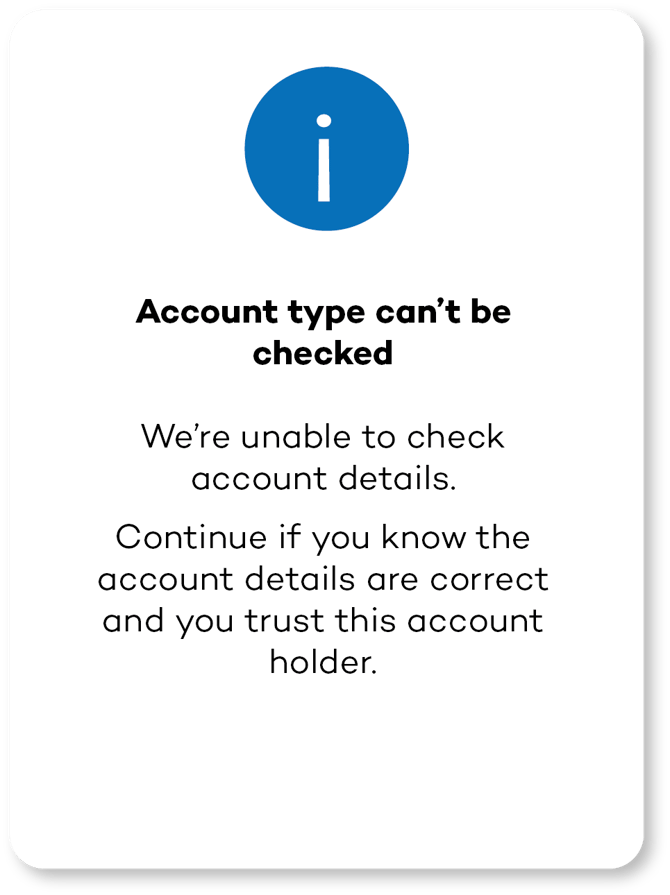
Where it is not possible to provide a CoP Response, the CoP Requester must provide the following messaging as applicable:
|
Account Type can’t be checked: a statement must be provided to the effect that a CoP Check cannot be completed. (As per example provided). |
 |
|
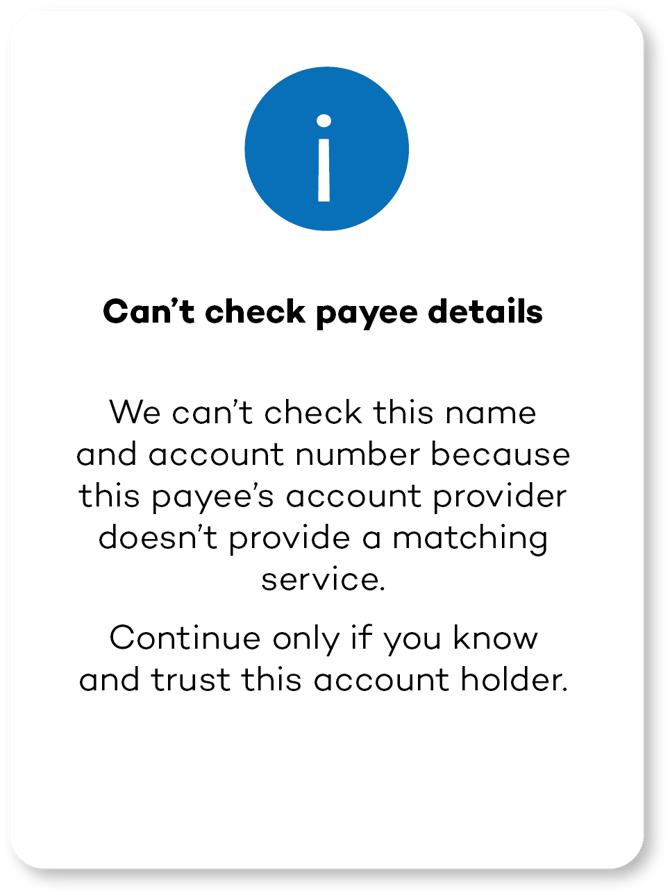
Can’t check payee details: a statement must be provided to the effect that a CoP Check cannot be completed because the Account being paid is with an account provider that is not a Participant. (As per example provided).
|
 |
|
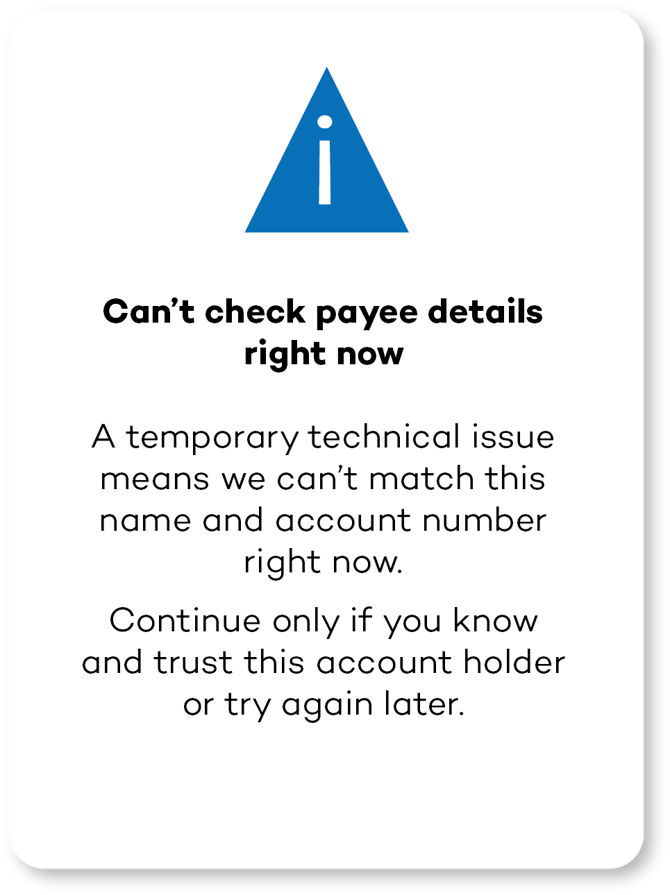
Can’t check payee details right now: a statement must be provided to the effect that a CoP Check cannot be completed for another reason (e.g. where the CoP Service is temporarily unavailable, as per example provided).
|
 |